

Swiss Timing WPF App: For Athletics -- Intro
appdev wpf csharp athletcics
A WPF app have been developed to interact with Swiss Timing athletics devices such as a multi-digit (as place at end of the main straight) and a wind gauge as used in sprints and horizonatal jumps.
Of late have been creating a WPF app that can interact with Swiss Timing devices such as the finish line clock and wind gauge. The communication protocols for the devices are public and involve simple text message with control characters. The displays are essentially a data sync (with some status messages returned for some queries). One wind gauge (there are 2) is purely a data source relying on processing on the computer to catpture the streaming data and determine the wind speed averaged over 10 seconds. The other wind gauge is a bit more intelligent and determines that in situ over the 10 seconds and returns the averaged wind speed when done.
The GitHub repository for the app is here: SwissTimingGemini7SegDisplay
A current configuration for an athletics track using this app is displayed here MVAC Layout Image below
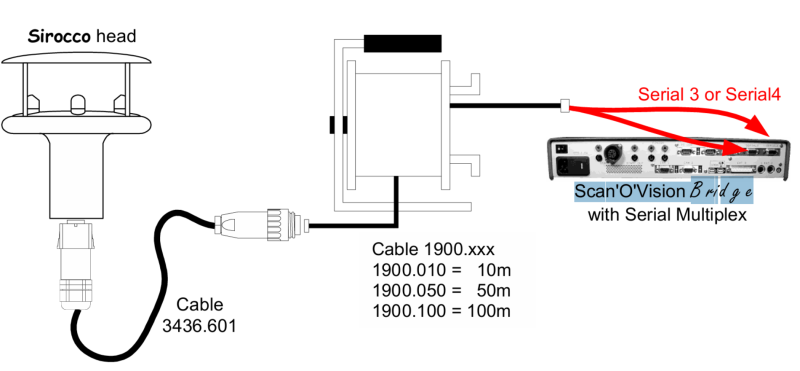
Nb: The actual configuartion for a complete system using photo timing cameras has the wind gauge signal separately routed to a Scan’O’Vision Bridge that also connects to the cameras as per:
Tap and rotate phone to enlarge.
Normal athletics event Siricco wind gauge setup
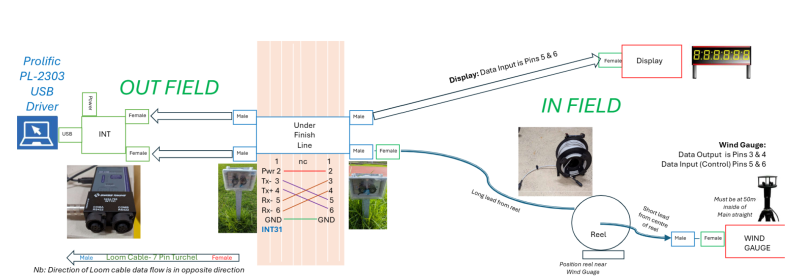
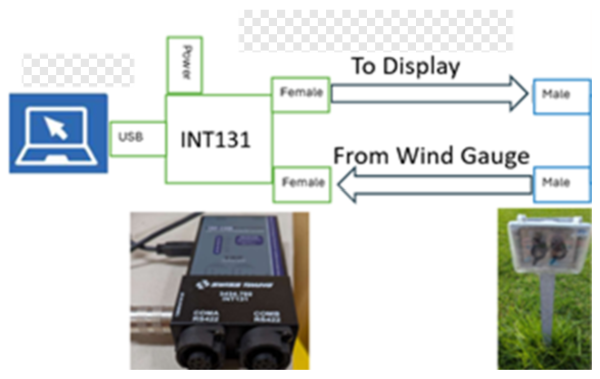
The configuration for this app though connects both the display and wind gauge through the one INT131 device back to the same computer:
Tap and rotate phone to enlarge.
The setup for this app
Tap and rotate phone to enlarge.
The Outfield setup for this app (zoomed in)
The Devices
Gemini Displays
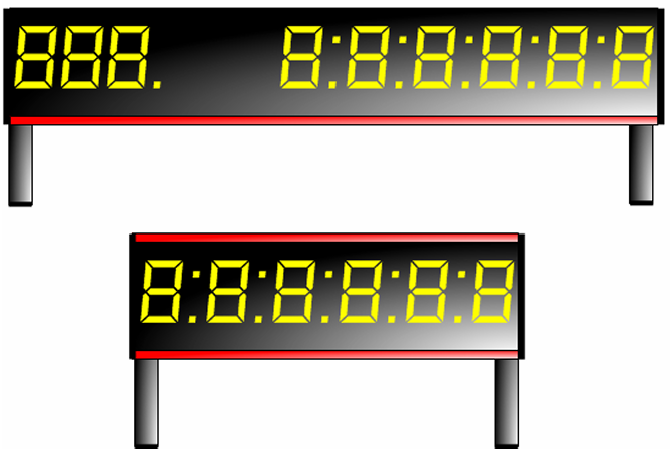
These a multi-digit alphanumeric displays. There is a 6 digit version and a 3 plus 6 digit version
Tap and rotate phone to enlarge.
6 and 9 digit Swiss Timing displays.
Wind Gauges
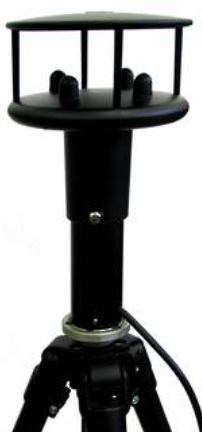
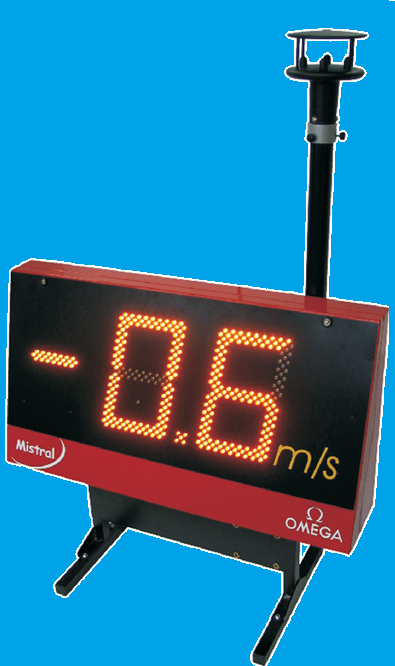
As previuos, there are 2 Swiss Timing wind gauges. The simpler Siricco one and the Mistral version.
|
|
|
| Siricco Wind Gauge | Mistral Wind Gauge |
Communications
As mentioned previously, the devices are controlled and data transmitted to them through serial transmission over RS422/485 from ports on the INT131 which connect back the controlling computer over RS232/USB. The protocols are quite simple to implement.
Code development.
Based upon the transmission protocols, a simulator was firstly developed for each of the devices. The simulated display could switch from 6 to 9 digits. The simulators worked as specified.
The code was then extended to be used with actual devices as they became available. The 6 digit Gemini display and Siricco wind gauge devices were tested and found to be fully functional. The 9 digit display and Mistral wind gauge have not yet been tested with this code.
The functionality for the devices was initially developed as separate pages in the app. The functionality for each was then abstracted to a Control plus toolbar on each page. For distance events, the display can be used to show a running time and count down laps. Finally a Sprint page was developed that combined the Gemini display and Siricco wind gauge as required for sprint events up to 200m.
More details to come
| Topic | Subtopic | |
| Next: > | Swiss Timing WPF App | Transmission Protocols |
| < Prev: | GitHub | Qualifying whether a new release is created with a Commit |
| This Category Links | ||
| Category: | Application Dev Index: | Application Dev |


