

Creating this site again: GitHub Pages --- Custom Domain
web github github-pages azure azure-frontdoor frontdoor blobstorage
For a custom domain, you need to create a CNAME entry with the custom domain name provider that includes reference/s to the GitHub Pages site.
A custom domain is a personalized web address that represents your identity, giving you full ownership and control over your online presence. It enables you take the autogenerated GitHub Pages URL and have that redirected to by a URL that is more aligned with you.
You may also need to create a file in the root of the repository called
CNAMEwith the custom domain entry such as (or it might be auto-generated by GitHub Pages):
davidjones2.sportronics.com.au
CNAME Entry
To use a custom domain, you need to add a CNAME file for the repository with the custom domain name provider. The GitHub Pages site URL is djaus2/DavidJones.github.io.The desired custom domain is davidjones2.sportronics.com.au and so the CNAME entries are (entries are block highlighted):
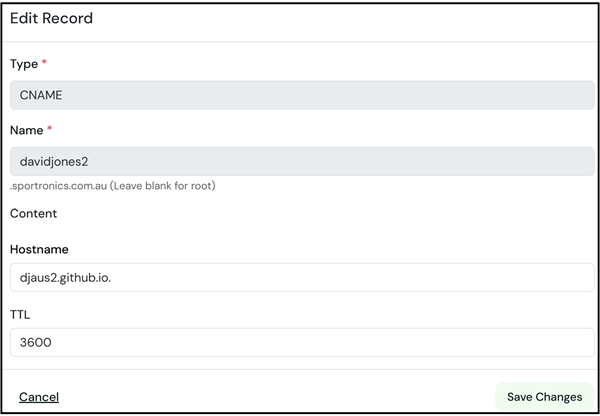
So in Settings-Pages tab, enter the custom domain under the Custom Domain heading, [Save] and tick enforce https. This will then be verified and the site will be available at the custom domain. This may take a while though as the CNAME entry needs to be verified and the SSL certificate needs to be generated. Once this is done, the site will be available at the custom domain with https access.
- Type: CNAME
- Name: davidjonwes2
- Hostname: djaus2.github.io
- TTL: Default value, eg 3600
_config.yml file
The URL needed to be changed from:
url: "https://djaus2.github.io/DavidJones"
to:
url: "https://davidjones2.sportronics.com.au"
GitHub Pages Settings
In the GitHub repository Settings-Pages tab, enter the custom domain under the Custom Domain heading, [Save] and tick enforce https. This will then be verified and the site will be available at the custom domain. This may take a while though as the CNAME entry needs to be verified and the SSL certificate needs to be generated. Once this is done, the site will be available at the custom domain with https access.
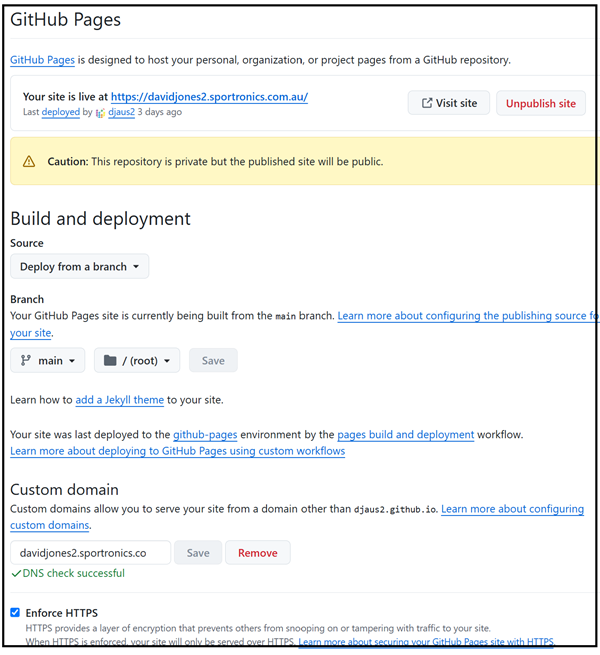
Note that the URL at the top of the Settings-Pages tab will now show the custom domain.
whatsmydns tool
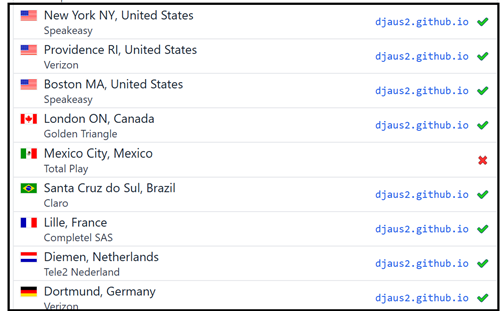
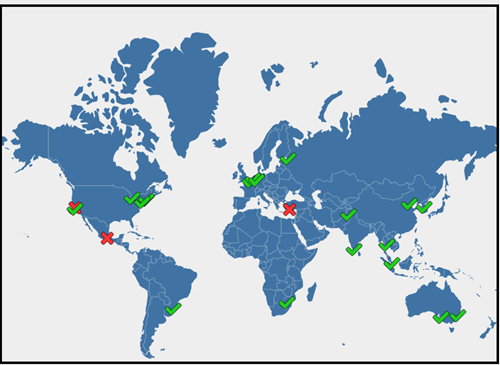
You can track the propagation of the CNAME entry using a tool such as whatsmydns
https://www.whatsmydns.net/#CNAME/<Custom Domain>- For example in this case:
https://www.whatsmydns.net/#CNAME/davidjones2.sportronics.com.au
| Topic | Subtopic | |
| Next: > | Creating this site again | Limitations of GitHub Pages |
| < Prev: | Creating this site again | GitHub Pages --- Getting Started |
| This Category Links | ||
| Category: | Web Sites Index: | Web Sites |


