

Checkers-Draughts Game Revisted: Publishing and Voice Buttons Update
Some updates to the online Draughts game wrt publishing on Azure and UI improvement wrt voice buttons (make all 3 light green)
Publishing Issue
Publishing to Azure failed because the previous Azure subscription was no longer available.
Was prompted to Re-enter credentials. Did so but still kept saying that.
Root cause
The deployment configuration still referenced the old subscription context.
Solution
- Switched publishing to the current active Azure subscription.
- Updated the publish context/profile to use the correct subscription and target resources.
- Re-ran publish using the current subscription context.
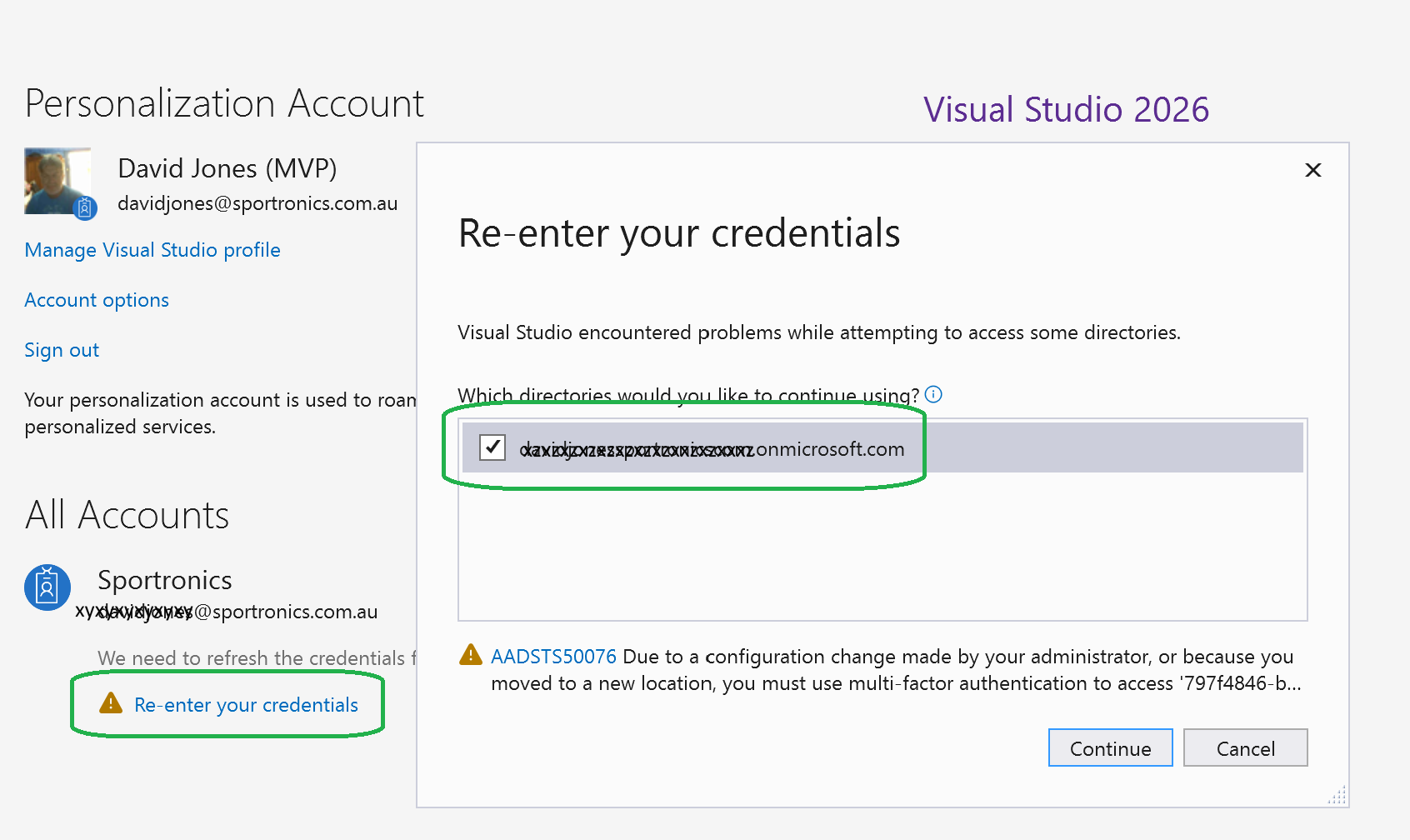
Tap and rotate phone to enlarge.
Just had to clear the old subscription reference as circled in green on right!
Outcome
Publishing proceeded successfully after moving to the current subscription.
Nb: AI tools went around in circles on this for a couple of hours before suggesting this solution!
Changes related to voice buttons
- Aligned the voice-related buttons to use the same class:
game-voice-button.- Talk button
- Mute/Unmute button
- Toggle Voice-in-Chat button
- Updated voice button styling to use a light-green gradient override via button CSS variables for these 3 buttons
- Ensured Talk button text is visible by wrapping
@TalkButtonTextin a<span>so it layers above the button overlay. - Kept all three controls on one line in the chat/voice row: Send, Talk, and Mute/Unmute.
- Better when used on phone
Result
- Voice buttons now share consistent styling.
- The brown default button shading is overridden for voice buttons.
- Talk button text displays correctly.
- Layout is cleaner and consistent for chat/voice actions.
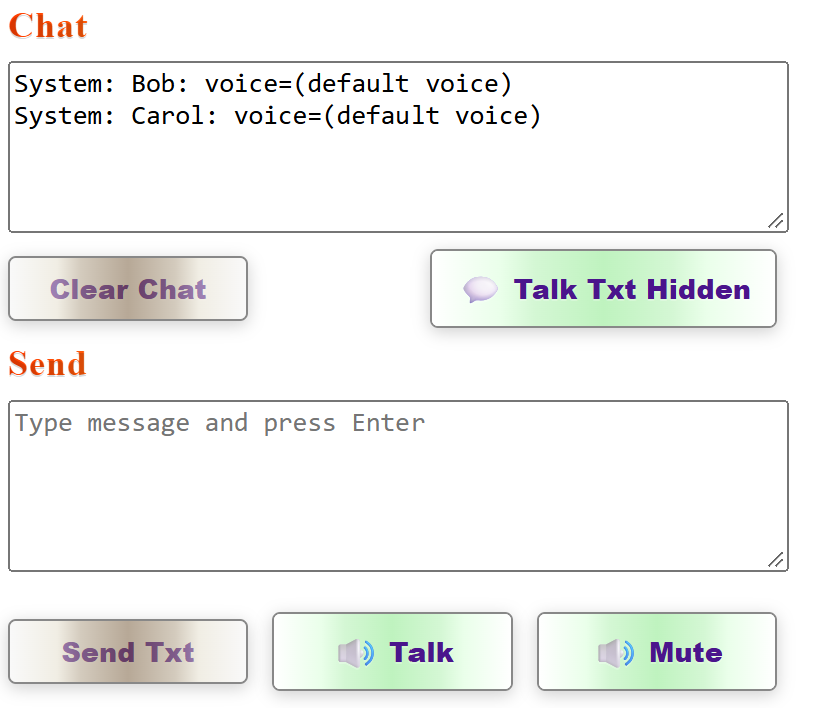
Tap and rotate phone to enlarge.
Nb: AI Tools had to be “dragged screaming” as to where the specific button color shading was implemented! At one stage it said it was a browser setting!
| Topic | Subtopic | |
| < Prev: | Athletics Certificate Generator | Final Version plus summary |
| This Category Links | ||
| Category: | Application Dev Index: | Application Dev |


